
Before You Start
Before you create your first project, make sure you have two things in place: an EdgeStudio account, and enough compute and storage on your plan.
1. An EdgeStudio account
You need to be signed in to use EdgeStudio. On the login page you can sign in, or create an account with Sign up, using any of these:
- Email and password
- GitHub
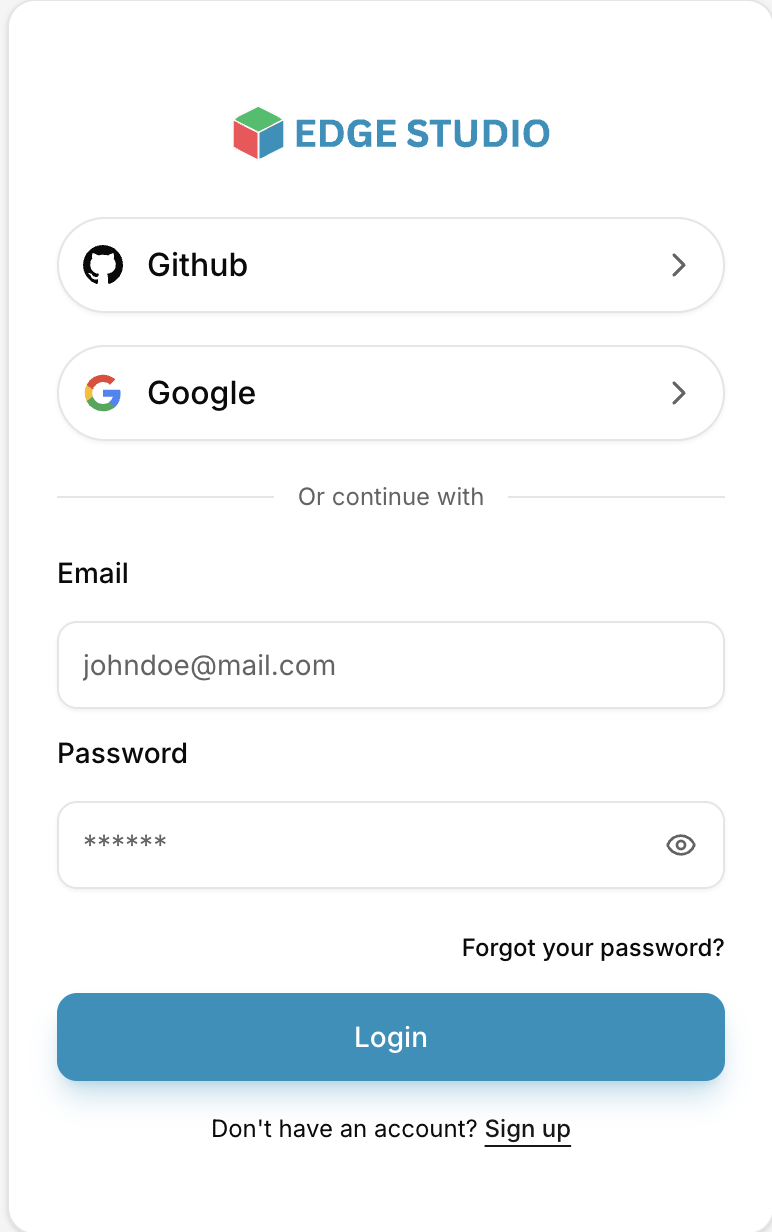
If you signed up with email and forgot your password, use Forgot your password? on the login page.
2. Enough compute and storage
What you can do in EdgeStudio is limited by your plan. The Dashboard shows three usage cards, each reading used / limit:

- Current Storage — the space your data takes up, out of your plan's total (in the example above, 1.65 GB of 10.00 GB).
- CPU Usage (Minutes) — the CPU training minutes you've used, out of your plan's allowance (42 of 1200).
- GPU Usage (Minutes) — the GPU training minutes you've used, out of your plan's allowance (0 of 30).
Before you start, check that:
- There is enough free storage for the data you plan to upload.
- You have minutes left for the kind of training you plan to run. If your plan has used all its CPU minutes, or has no GPU minutes available, a training run can't start until you upgrade your plan or buy more minutes.
Usage is tracked per workspace, so make sure you're looking at the right one (Personal or an Organization) with the workspace switcher. To upgrade or manage your plan, use the Upgrade or Manage button on the Plan card on the Dashboard.